|
Filter by Map Extent limits the data to the current map extent.
1.Make sure the Condition Map is visible with the appropriate layers turned on .
2.Position the map to the desired location by panning and using the map tools to zoom in or out.
3.Click the Filter by Shape icon from the spatial toolbar on the right: 
4.The Filter by Shape toolbar expands:

5.Select the Filter by map Extent icon:  The current map extent is then used as a spatial filter to limit features to the geographic area shown. The current map extent is then used as a spatial filter to limit features to the geographic area shown.
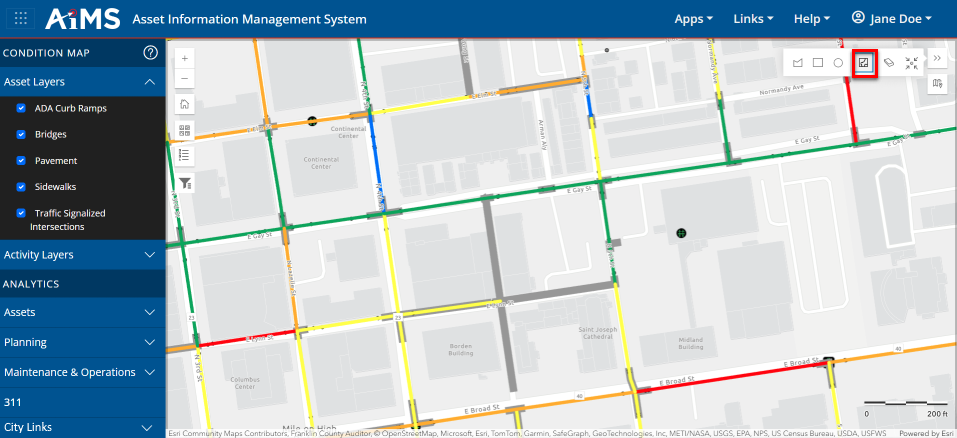
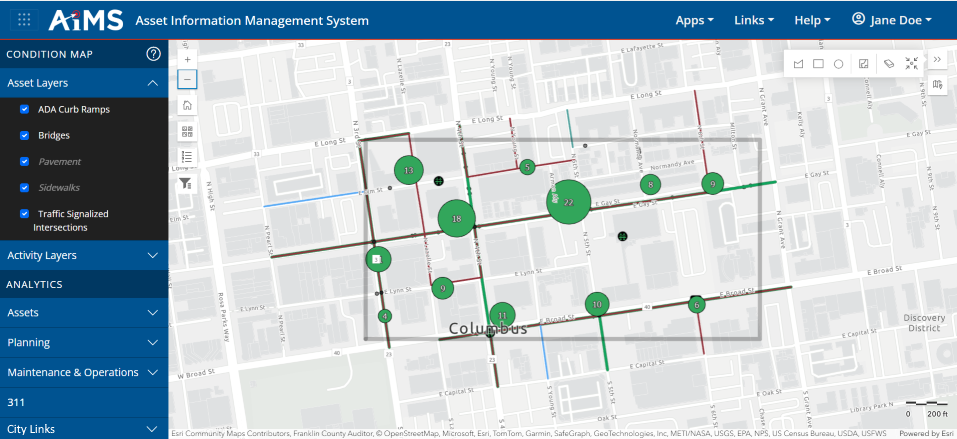
6.When you are done, zoom out to see your map extent filter applied.
NOTES:
•If you happen to click Zoom Out and then want to zoom back into the map extent, click the Zoom to selection icon:
•If you want to save the map extent filter and use it in the future, see: Save Attribute and Spatial Filters.
•If you want to clear the map extent filter and start over, click Clear Spatial Filters: 
|

