At any time, you can clear any attribute filters you have set.
BEFORE YOU BEGIN:
•Click the Filters icon on the Condition Map to open the AIMS Filters window.
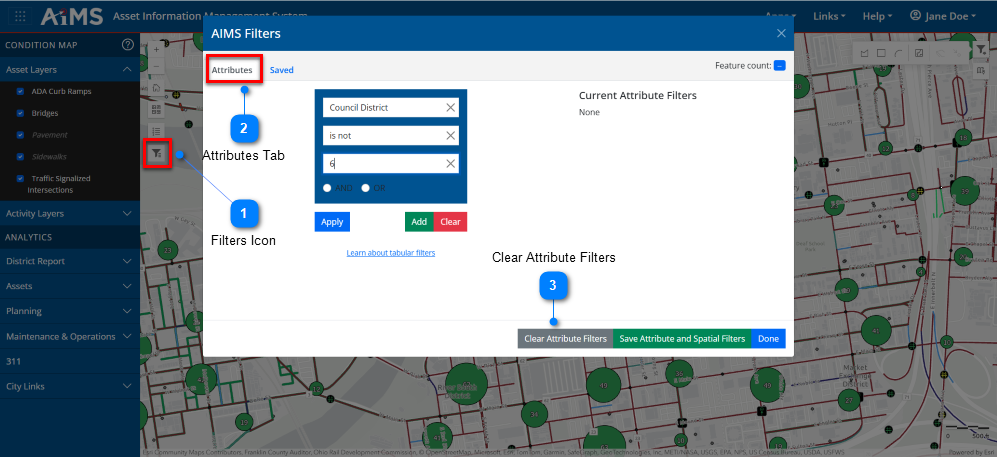
To clear all filters, follow the numbered instructions beneath the illustration.
Filters Icon
Click the AIMS Filters icon on the Condition Map to open the AIMS Filters window.
Attributes Tab
Make sure the Attributes tab is selected.
Clear Attribute Filters
Click Clear Attribute Filters. This clears any attribute filters that you applied earlier, as well as the contents of the fields on the Attributes tab. The map also refreshes; however, the spatial filters remain in effect.