The View Existing Maps module allows you to explore existing maps from the map library.
1.Click View Existing Maps from the home page to open the Existing Maps module of AIMS.
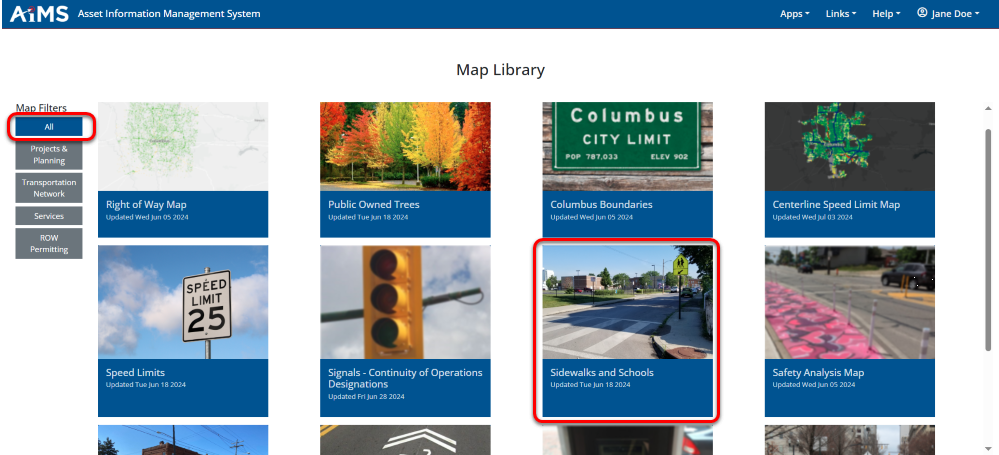
2.The Map Library displays all available maps. NOTE: Based on a user's permission within ArcGIS Portal, the Map Filters content may vary for different users. See Map Viewer for more details.
•Filter the maps shown by selecting one of the Map Filter groups from the menu on the left side of the page. In this example, All is selected.
•Once the maps are filtered based on your selection, click the image of the map you would like to view. In this example, Sidewalks and Schools is selected.


.png)